Raspberry Pi project: AirPlay receiver

I bought a Raspberry Pi almost exactly a year ago, intending on eventually replacing my Ninja Block and its sometimes-unreliable wireless sensors with hardwired ones (apart from the batteries needing occasional changing, there’s something that interferes with the signal on occasion and I just stop receiving updates from the sensor outside for several hours at a time, and then suddenly it starts working again). To do that, I need to physically run a cable from outside under the pergola to inside where the Raspberry Pi will live and I don’t really want to go drilling holes through the house willy-nilly. I want to eventually get the electrician in to do some recabling so I’m going to get him to do that as well, but until then the Pi was just sitting there collecting dust. I figured I should find something useful to do it with, but having a Linode meant that any sort of generic “Have a Linux box handy to run some sort of server on” itch was already well-scratched.

I did a bit of Googling, and discovered Shairport Sync! It lets you use the Raspberry Pi as an AirPlay receiver to stream music to from iTunes or iOS devices, a la an Apple TV or AirPort Express. We already have an Apple TV but it’s plugged into the HDMI port on the Xbox One which means that to simply stream audio to the stereo we have to have the Xbox One, TV, and Apple TV all turned on (the Apple TV is plugged into the Xbox’s HDMI input so we can say “Xbox, on” and the Xbox turns itself on as well as the TV and amplifier, then “Xbox, watch TV” and it goes to the Apple TV; it works very nicely but is a bit of overkill when all you want to do is listen to music in the lounge room).

Installing Shairport Sync was quite straightforward, I pretty much just followed the instructions in the readme there then connected a 3.5mm to RCA cable from the headphone jack on the Raspberry Pi to the RCA input on the stereo. It’s mentioned in the readme, but this issue contains details on how to use a newer audio driver for the Pi that significantly improves the audio output quality.

The only stumbling block I ran into was the audio output being extremely quiet. Configuring audio in Linux is still an awful mess, but after a whole lot of googling I discovered the “aslamixer” tool (thanks to this blog post), which gives a “graphical” interface for setting the sound volume, and it turned out the output volume was only at 40%! I cranked it up to 100% and while it’s still a bit quieter than what the Apple TV outputs, it doesn’t need a large bump on the volume dial to fix—there’s apparently no amplifier or anything on the Raspberry Pi, it’s straight line-level output. The quality isn’t quite as good as going via the Apple TV, but it gets the job done! I might eventually get a USB DAC or amplifier but this works fine for the time being.

On macOS it’s possible to set the system audio output to an AirPlay device, so you can be watching a video but outputting the audio to AirPlay, and the system keeps the video and audio properly in sync. It works extremely well, but the problem we found with having the Apple TV hooked up to the Xbox One’s HDMI input is that there’s a small amount of lag from the connection. When the audio and video are both coming from the Apple TV there’s no problem, but watching video on a laptop while outputting the sound to the Apple TV meant that the audio was just slightly out of sync from the video. Having the Raspberry Pi as the AirPlay receiver solves that problem too!

UPDATE: Two further additions to this post. Firstly, and most importantly, make sure you have a 5-volt, 2.5-amp power supply for the Raspberry Pi. I’ve been running it off a spare iPhone charger which is 5V but only 1A, and the Pi will randomly reboot under load because it can’t draw enough power from the power supply.

Secondly, the volume changes done with the “alsamixer” tool are not saved between reboots. Once you’ve set the volume to your preferred level, you need to run “sudo alsactl store” to persist it (this was actually mentioned in the blog post I linked to above, but I managed to miss it).

Farewell Dreamhost

After 12 years of service, I’m shutting my Dreamhost account down (for those unaware, Dreamhost is a website and email hosting service).

My very first—extremely shitty—websites were hosted on whichever ISP we happened to be using at the time—Spin.net.au, Ozemail, Optus—with an extremely professional-looking URL along the lines of domain.com.au/~username. I registered virtualwolf.org at some point around 2001-2002 and had it hosted for free on a friend’s server for a few years, but in 2005 he shut it down so I had to go find some proper hosting, and that hosting was Dreamhost.

The biggest thing I found useful as I was dabbling in programming was that Dreamhost offered PHP and MySQL, so I was able to create dynamic sites rather than just static HTML. Of course, looking back at the code now is horrifying, especially the amount of SQL injection vulnerabilities I had peppered my sites with.

Around the start of 2011, I started using source control—Subversion initially—and finally had a proper historical record of my code. I used PHP for the first year or so of it, then ended up outgrowing that and switched to a Perl web framework called Mojolicious. The only option to run a long-lived process on Dreamhost is to use Fast-CGI, which I never managed to get working with Mojolicious, but fortunately Mojolicious could also run as a regular CGI script so I was still able to use it with Dreamhost, albeit not at great speed.

At the same time I started using Subversion, I also signed up with Linode who offer an entire Linux virtual machine with which you can do almost anything you’d like as you have full root access. I originally used it mostly to run JIRA so I could keep track of what I wanted to do with my website and have the nifty Subversion/JIRA integration working to see my commits against each JIRA issue. I slowly started using the Linode for more and more things (and switched to Git instead of Subversion as well), until in 2014 I moved my entire website hosting over to the Linode.

At that point the only thing I was using Dreamhost for was hosting Kristina’s website and WordPress blog, and the email for our respective domains. Dreamhost’s email hosting wasn’t always the most reliable and towards the end of 2015 they had more than their usual share of problems, so we started looking for alternatives. Kristina ended up moving to Gmail and I went with Fastmail (who I am extremely happy with and would very highly recommend!), I moved her blog and my previously-LiveJournal-but-now-Wordpress-blog over to the Linode, and that was that!

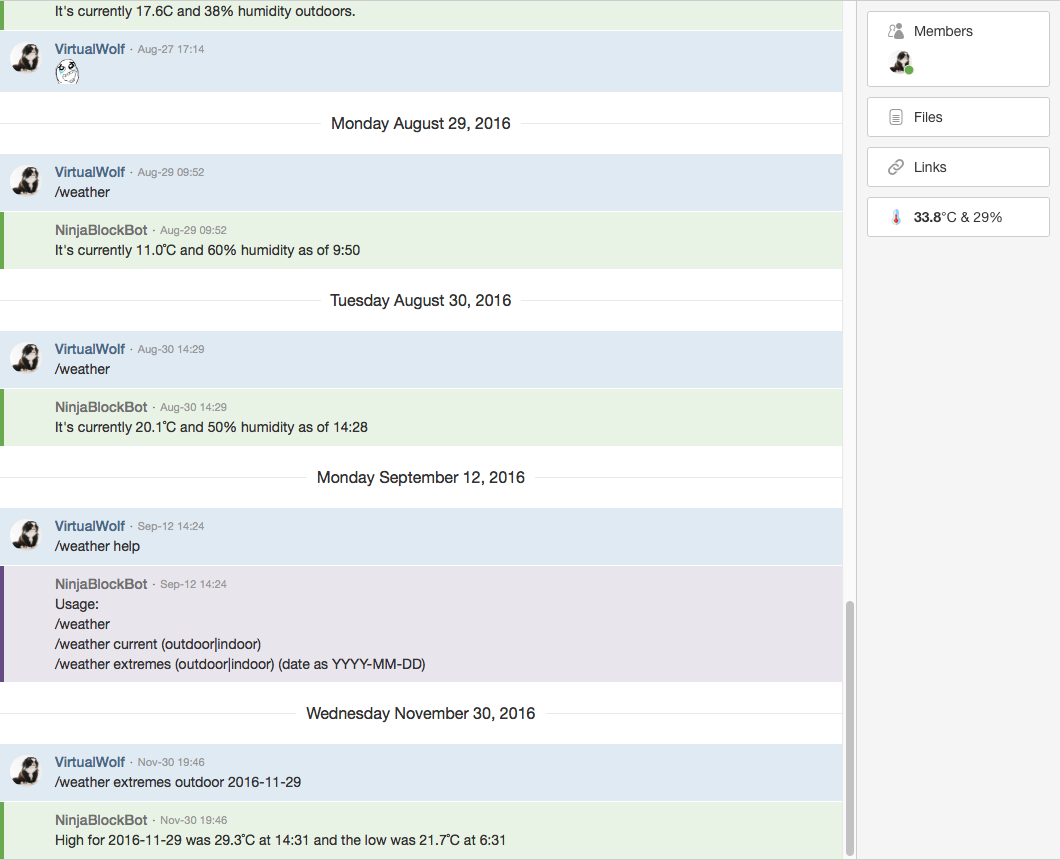
Moving my website hosting to the Linode also allowed me to move over to Node.js and I’ve been going full steam ahead ever since. Since that posted I’ve moved over from callbacks to Promises (so much nicer), I wrote myself a HipChat add-on to keep an eye on the temperature that my Ninja Block is reporting, and I moved my dodgy Twitter image upload Perl script functionality into my site and added a nice front-end to it. Even looking back at my code from 6 months ago to now shows a marked increase in quality and readability.

So in summary, thanks for everything Dreamhost, but I outgrew you. 🙂

Missing history

So it turns out that the LiveJournal to WordPress Importer didn’t actually import everything. I’d been going through and updating links to old entries to point to their relevant entry here in WordPress, and there were several pages that didn’t actually make it across (it also imported every single comment back to around 2010 twice, so I had to go through and delete all of those duplicates; prior to 2010 it was fine, for some weird reason). That wouldn’t have been too bad, but in between my having imported my LiveJournal originally and me discovering this, Kristina’s old LiveJournal account was deleted, which also meant that every single comment of hers on my LiveJournal was now gone, and any fresh import I did directly from the LiveJournal API wouldn’t have them at all. 🙁 Looking back through my old entries was kind of sad, with just “Deleted comment” everywhere in place of Kristina’s actual comments.

I wanted to have the complete history of my LiveJournal here in WordPress, but I also didn’t want to have all of Kristina’s comments missing. I figured SOMETHING had to be able to be done!

I used ljdump to hit LiveJournal’s API and download each entry there into a raw XML file, and that had grabbed all the journal entries, so clearly something had fucked up in the WordPress import part.

The situation was this:

  • I had most but not all of my old LiveJournal entries imported into WordPress
  • Those entries that made it across did have Kristina’s old comments on them
  • I had all of my own entries downloaded to raw XML
  • ljdump also grabbed all the comments for each entry as well (sans Kristina’s, obviously)

I manually went through and compared the entries in WordPress to those on my LiveJournal month-by-month, and found that there were 68 missing ones in total. I hacked at the LiveJournal to WordPress Importer plugin until I was able to get it to read the raw XML files that’d come directly from ljdump, then spun up a new temporary WordPress install and was able to import just those missing entries. Next, I erased that temporary instance, imported the full backup from this blog, then ran the importer again to bring in just those 68 missing entries from XML, and it worked a treat.

Unfortunately there were a handful of those entries that also had had Kristina’s comments on them previously, so they were still missing. Thankfully, me being the digital hoarder that I am, I still had all of the email notifications that LiveJournal had sent me for each and every comment on my journal, and the LiveJournal API actually shows even deleted comments in their properly threaded state, just with no body or detail beyond the username who posted it. So I was able to copy the content and timestamp for each comment of Kristina’s that’d been on those missing entries that weren’t imported, and update the raw comment XML with that detail!

This is still a work in progress and my next step is to hack at the importer further to read the comments directly from XML (currently it’s reading the journal entries from the XML files, but the comments are still pulled from LiveJournal’s API directly). It’ll definitely be do-able, it may just take a little while because everything related to WordPress is in PHP and I’ve not done any PHPing for quite a number of years now!

This may seem a bit odd, but given I have 13 years of history in LiveJournal, and it’s where Kristina and I initially started chatting a lot more before she visited and we got together, I didn’t want to have these weird entries where Kristina was just essentially erased from my blog history.

I might even put my modifications to the plugin up on Bitbucket if it seems to be working well, given the current LiveJournal to WordPress Importer is a bit shit.

New computer!

I’d been looking to upgrade to a 27″ iMac from my mid-2010 MacBook Pro, and five years from a machine is not bad at all! I was hoping that the non-retina iMacs would get one last upgrade but it was not to be. I checked the Apple Store after the cheaper model of retina iMac was released last week, and they had in fact removed all of the custom options from it other than RAM and storage, so the only video card available was the base-level 1GB one. Bleh.

However! There was fortuitously an almost-maxed-out 27″ Late 2013 iMac available on the refurb store: 4GB Nvidia 780M GTX video card (top of the line), and 3TB Fusion Drive. Only 8GB RAM but it’s user-replaceable in this model anyway, so I have another 16GB on the way. The thing with the refurb machines is that what you see is what you get, there’s no upgrades or anything available, but that was okay. The only change I’d have made is a 1TB SSD (the Fusion Drive is a large hard disk combined with a relatively small SSD—128GB) but ah well. I saved probably more than a grand all up!

kungfupolarbear has inherited my old machine as it’s a decent step up from her MacBook Air, and we’re going to use the MacBook Air as a travel computer, and if I want to do some coding from the lounge or some such.

\o/

kungfupolarbear is in the US visiting her family, she left yesterday and arrives back in the country two weeks later. It’s weird not having her here, I feel like I’m just biding my time until she’s back.

The whole stereotype of “The wife is away, I’m going to do all of these things that she doesn’t let me do normally!” just doesn’t apply to us at all. We both will happily play video games or putter around on the computer or whatever. I’m having gypocalypse, wobin, and some other friends over on Saturday to play this Warhammer 40,000-themed D&D-type thing, and that wouldn’t matter if kungfupolarbear was here, she’d happily hang out despite having zero interest in actually playing it and would absolutely not begrudge us spending time playing it. Everything is just so totally effortless, it still amazes me. <3

I had yesterday and today off (yesterday because we woke up at 3:30am in order to get to the airport on time D: ), and am working from home the rest of the time she’s gone since Beanie needs looking after and obviously can’t be by himself for 11 hours a day.

In other news we bought an Xbox One, a colleague of mine was selling his as he’s moving to Paris. We’ve got Forza 5 (a racing game) to tide us over until the Diablo III expansion comes out, and man the graphics are nice. This is only a launch title too, so they’ll be even more impressive once developers get a handle on squeezing the most out of the system. One very slick thing is that you can have the Xbox turn the TV and amplifier on when it turns on, and it’ll turn them off when the Xbox turns off too.

DIY, and some not so DIY

No posts for the last month, mostly because there’s not been anything of note happening. Yesterday, though… phew!

So, the path to the back room was pretty bloody awful.

kungfupolarbear had found a photo of a nice path design, so we decided to go to Bunnings and get the supplies for it. Long story short, about five hours and many sore muscles later, we have a new path!

As per pretty much everything so far, it took more work than expected.

And today we had an electrician come to replace the god-awful ceiling lights that were in the lounge room and kitchen, and to wire up some ethernet for us too. It’s so nice being able to put our own little touches on things now!

In other news, our annual bonus ended up being 12.5%! \o/ Of course, 45.6 cents in the dollar of that went to tax, but that was still a nice chunk of change. So I’ve ordered a NinjaBlock. Should be fun to play around with.

A new design

One of the things I’ve done with my website is design and add an entirely new design, and the ability to switch between the current design and the new one. Check it out!

The “Dark” style is the current one, and the “Light” style is the new one. I’m really pleased with how it turned out, design-wise, even apart from managing to implement a style-switcher that stores the current selection in a session cookie so it’s remembered next time you visit. 😀

Oops

Yes, I’ve forgotten to update LiveJournal for another several months. 😛 I keeping remembering at random useless times to update my LJ (like when I’m nowhere near a computer or am about to go to bed). I’ve now added a category to Things on my computer and iPhone so I can hopefully at least quickly add a reminder to blog things and there’ll be more frequent updates. 😛 (Yes I’m a massive nerd).

Biggest thing is that today is our third wedding anniversary! \o/ (Squee wedding photos squee). This is actually a Lily weekend, which was slightly annoying, but we went out to dinner last night after work, and I got some beautiful roses sent to kungfupolarbear‘s work which she spent the whole day squeeing about. 😀 Next weekend we’re going to Melbourne on Sunday and Monday, so we’ll eat lots of delicious food and take lots of photos. I can’t wait! It’s crazy, things just keep getting better and more awesome! BEST WIFE EVER.

In other news, Lily turned five last month. O_O And she’s already half-way through her first year of school. WHAT THE HELL HOW WHY WHAT.

On the subject of nerdy things, someone posted an epic rant back in April on how shit PHP is. My website was written in PHP, so that rant gave me the impetus to find something else. I discovered a Perl web framework called Mojolicious and have totally rewritten my site with that. It has all sorts of useful functions for reading JSON and such, so I’ve hooked my website into my Flickr, Tumblr, and it has my Last.fm stats too. 😀 It’s really been a lot of fun!

I was looking at my slightly older LJ entries, and saw the one from Christmas about the guitar input… I’ve basically not touched it or the guitar for like four months now. 🙁 I think the DVD that I bought (learning the chords by themselves) just doesn’t work for me, I end up losing interest far too quickly. That’s probably the fifth or sixth time I’ve attempted to learn, and I just can’t do it. I suspect I need to learn actual full songs, but I also have far too many another things vying for my attention that I totally forgot about the guitar input until I was writing this entry, heh.

…and holy shit, I also just realised that today not only marks our third wedding anniversary, but ten years TO THE DAY since my first LJ post! 😮 God damn. I’ve also been registered and posting on Ars Technica for over eleven years, and have been going by “VirtualWolf” online for a good thirteen years now. All of those numbers are more than a third of my life, which blows my mind.

Oops

I know I said I’d update this more often, but not too much update-worthy has been happening! Work has been crazy busy this week, as we had an update over the weekend so of course there’s random things not working and exciting to bugs to deal with.

With regards to this post, I bought a book on Objective-C and am attempting to learn it so I can get my iPhone programming on! We play a lot of Magic at work, so I’m going to try to write an app to keep track of life scores. Dead simple, I know, but it’s a project for me to sink my teeth into, and also shouldn’t be horrendously difficult. \o/ It might even end up on the App Store (if there’s not already several apps like this I’ll be shocked), but that’s a lesser priority.

…and that’s about it, really.

All VCed up and nothing to code

I’ve been getting my head around version control and have been using it for my website, now I want to code something more but I have absolutely nothing I can think of that I want to do! My website is pretty much just a bunch of links to other things (LJ, Twitter, Flickr, etc.), and there’s not too much more I can do with it there.

I’d learn Objective-C and make some Mac applications, but I really don’t have anything I want to create. I’ve found from previous experience that if I don’t actually have a pet project in mind, attempting to learn a programming language is doomed to failure. I don’t do anything outside of work that really would require any little scripts or anything, so that’s pretty ruled out too.